How Check-Ins Work
This documentation goes over how check-ins and reservations work
Overview
Check-ins and reservations are a fundamental part of Zentry Pass that enables users to visit locations.
Reservation
Before you can visit a location, a reservation must be created and approved. Some locations auto approve reservations while others do not. You will receive an email when their reservation has been approved or cancelled.
You can create reservations by visiting Zentry Pass Workspaces, using the Zentry Pass mobile app, or by using the Zentry Pass API.
Future releases of Zentry Pass will allow Employers to create reservations for their employees in the dashboard.
Check-In
After a reservation has been approved, you can check-in to the workspace through the mobile app.
Check-ins record where you checked-in at and the time you checked-in.
Check-In Restrictions
- Geo Fenced:
Check-ins are geo-fenced. You must enable location services on your mobile device, grant access to Zentry Pass, and be within the allowed radius of the workspace.
After check-in, Zentry Pass does not track your location.
- Within Reservation Window:
Check-in must occur within 6 hours of the reservation.
Check-Out
When you are finished at the workspace, you should check-out via the mobile app.
Just like check-in, check-outs record your location and the time of the check-out.
Check-outs are not geo-fenced. You can check-out from anywhere.
Viewing Reservations
Your reservations can be viewed on your Dashboard
Viewing Employee Reservations
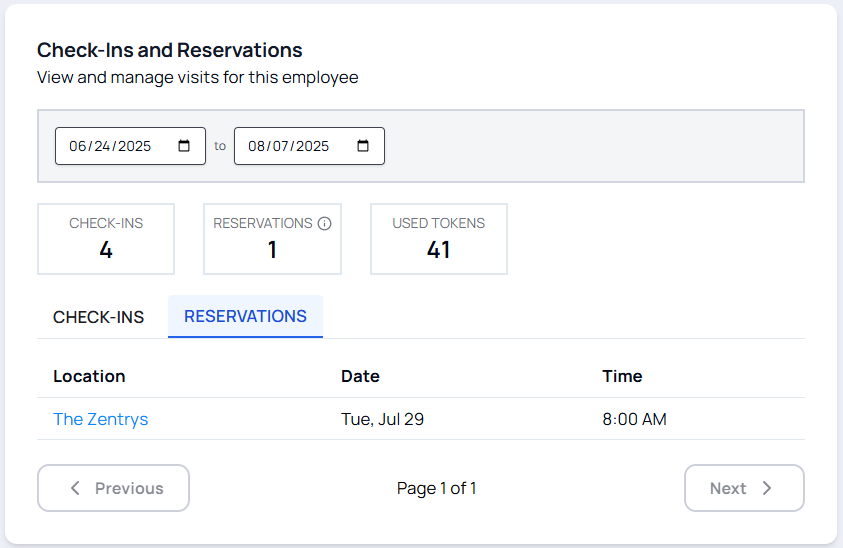
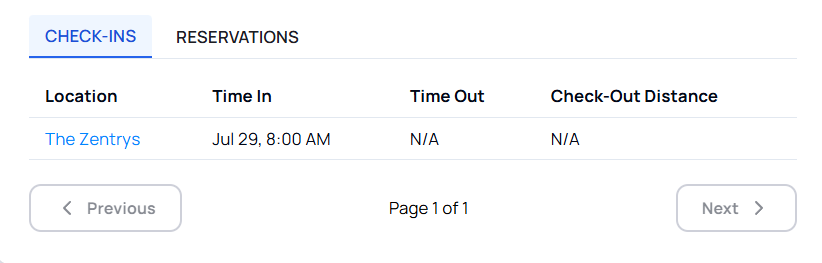
If you are an Employer, you can view your employee's reservations and check-ins by Viewing Employees > Select an Employee > Visits
Use the filters to get historical data or limit to a specific time frame.
Auto Check-Ins
If a reservation is not checked-in to within 30 minutes after the reservation date and time, then a check-in will automatically be made.
It is up to you or your employer to manage reservations.
Cancelling Reservations
Reservations cannot be cancelled within 24 hours of the check-in time. If cancelled before then, a refund will be issued.
API
Learn how to use our API here